
- Features
- Reports & bookkeeping
Sales reports, Z reports and built-in bookkeeping: Your day in figures, and books your accountant can use.
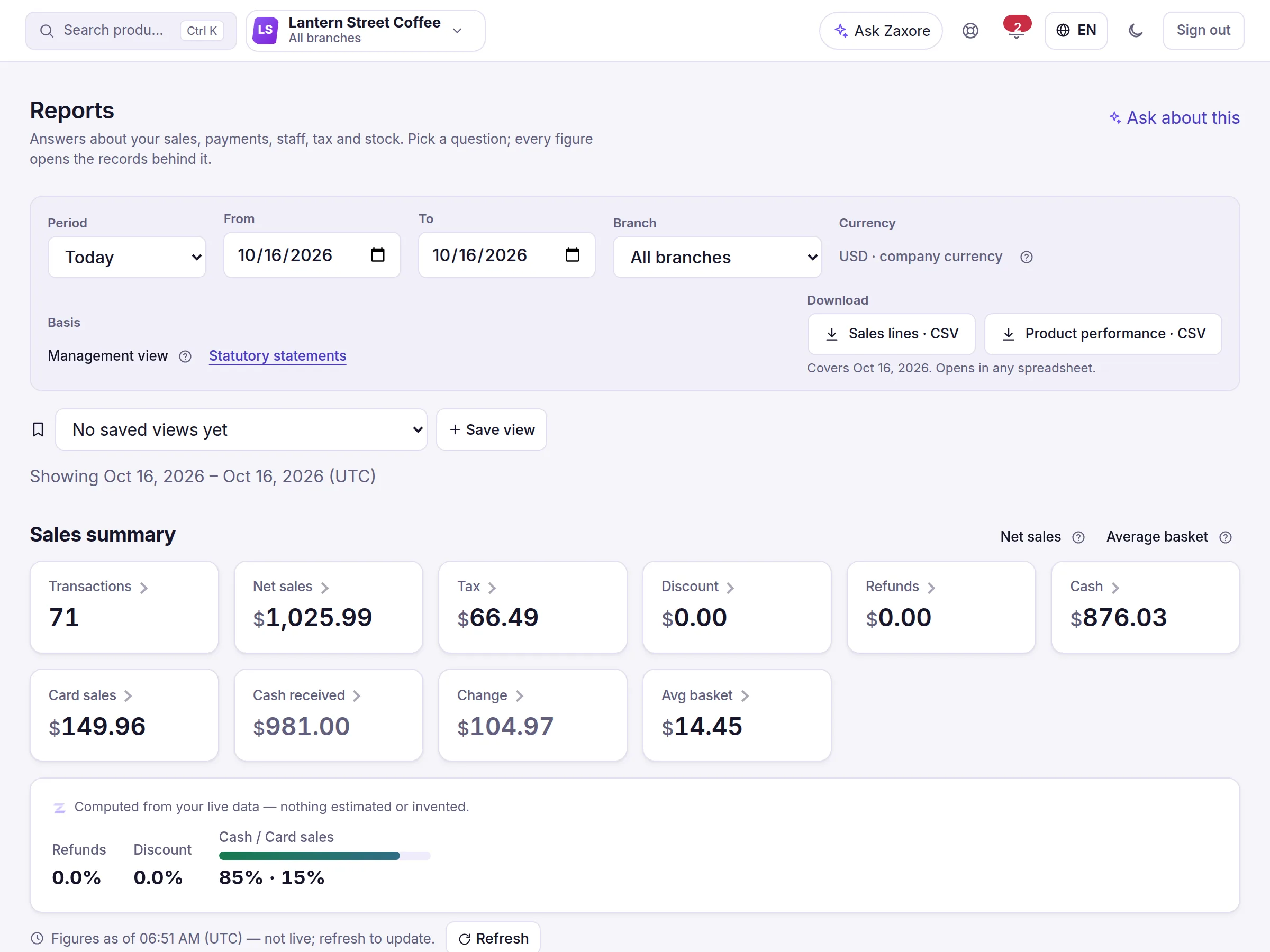
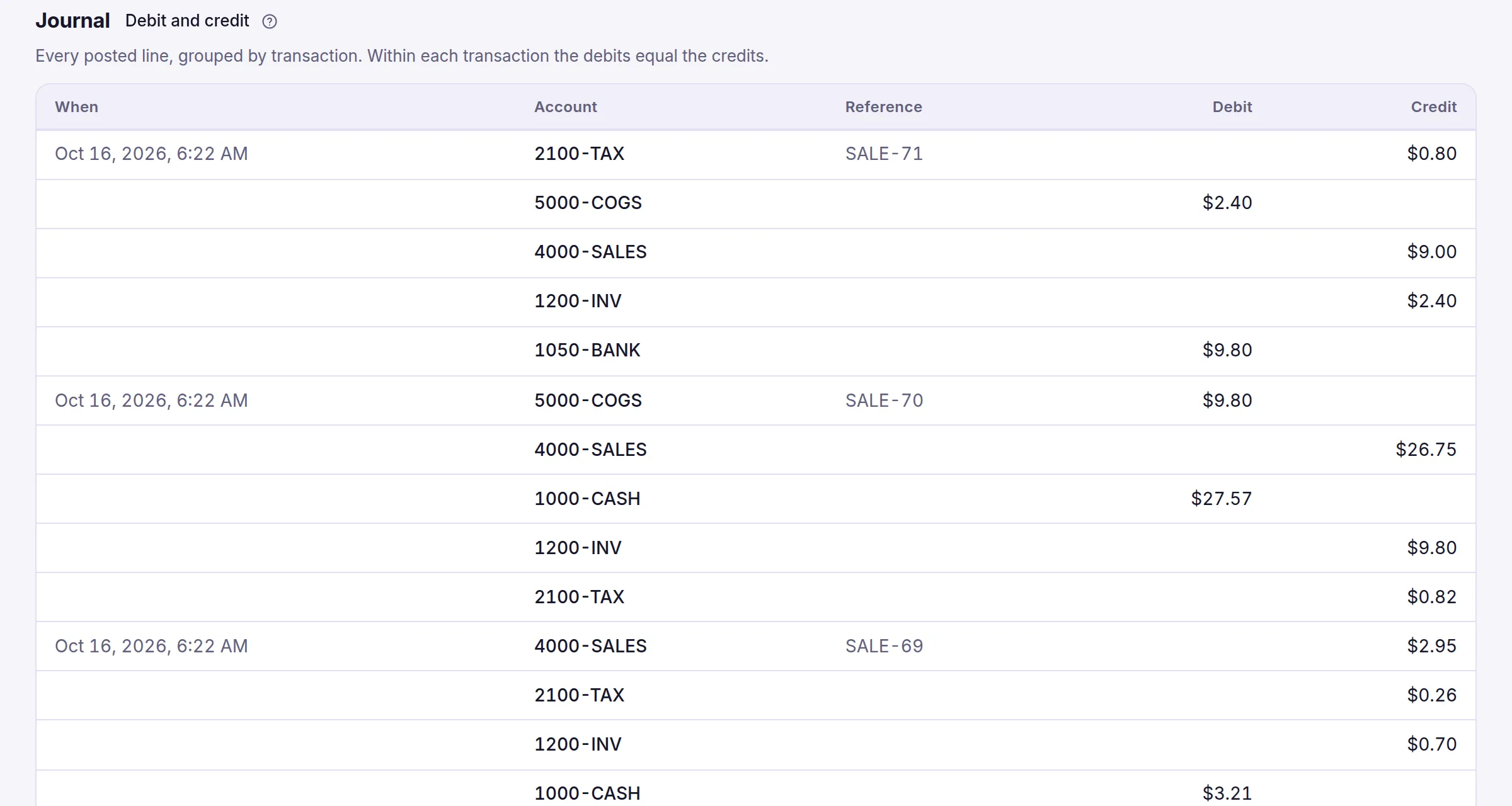
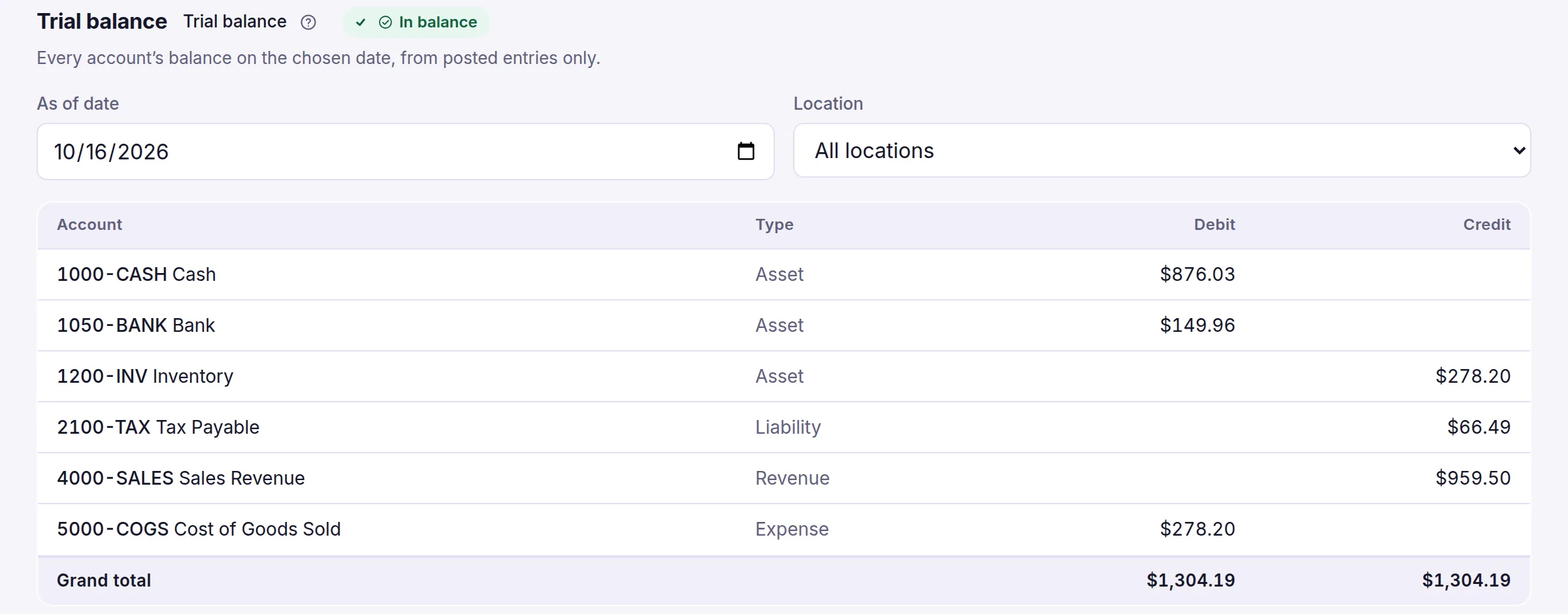
Reports read the same records the register, the stock and the payments write, so there is nothing to re-enter. See sales by day, branch, cashier, category and payment method, X and Z reports per shift, and open any figure to the sales behind it. Underneath sits a double-entry ledger: sales, purchases, expenses and payroll post automatically, accountants add manual entries for approval and close each month, and the trial balance, profit and loss and balance sheet come straight from it. Zaxore does not file taxes, has no bank feeds and does not sync with QuickBooks or Xero.
What you can do
- Sales by day, branch, cashier, category and payment method; refunds, discounts, tips; CSV exportLive
- Every summary figure opens the exact sales behind it; saved report views to shareLive
- X report during a shift and a Z report at close, with the drawer countedLive
- Double-entry ledger: automatic entries from sales, purchases, expenses and payroll; manual entries with approval; monthly closeLive
- Trial balance, profit and loss and balance sheet, by branch or company; who owes you and whom you owe, by ageLive
- Expenses with receipts, approved by a manager before they reach the books (Growth or Business plan)Live
- Cash in and cash out of your cash and bank accounts — a net-movement view, not a full cash-flow statementLive, with limits
- Bank reconciliation from an imported statement file, and year-end closeEarly access
In the app
Screens captured from the Zaxore app on sample data; names that belong to real businesses are hidden.
Source and capture details
- Source
- The app run locally, synthetic sample data
- App release
- 92c0c3a
- Captured
- 2026-10-16
- Edits
- Navigation sidebar cropped out. Nothing hidden or retouched.
Source and capture details
- Source
- The app run locally, synthetic sample data
- App release
- 92c0c3a
- Captured
- 2026-10-16
- Edits
- Navigation sidebar cropped out. Nothing hidden or retouched.
Source and capture details
- Source
- The app run locally, synthetic sample data
- App release
- 92c0c3a
- Captured
- 2026-10-16
- Edits
- Navigation sidebar cropped out. Nothing hidden or retouched.
Who uses it
Owners and managers read reports for their branches; accountants keep the ledger and approve; cashiers never see cost or profit.
How it connects
Every module writes the rows these reports read. Stock adjustments, transfers and counts do not post to the ledger.
From the help center
Guides
All features
Companies & branches
One account for all your companies and branches, with each person working in the branch they run.
Headquarters for groups
A holding company on top and each subsidiary with its own figures, in its own currency — one tap to open any of them.
Partner portal
Profit-share partners see their own approved statements and the payments recorded for them — nothing else.
Sales & point of sale
Scan, take cash, card or both, and close the shift with the drawer counted. Exceptions go to a manager.