
- Features
- Team & permissions
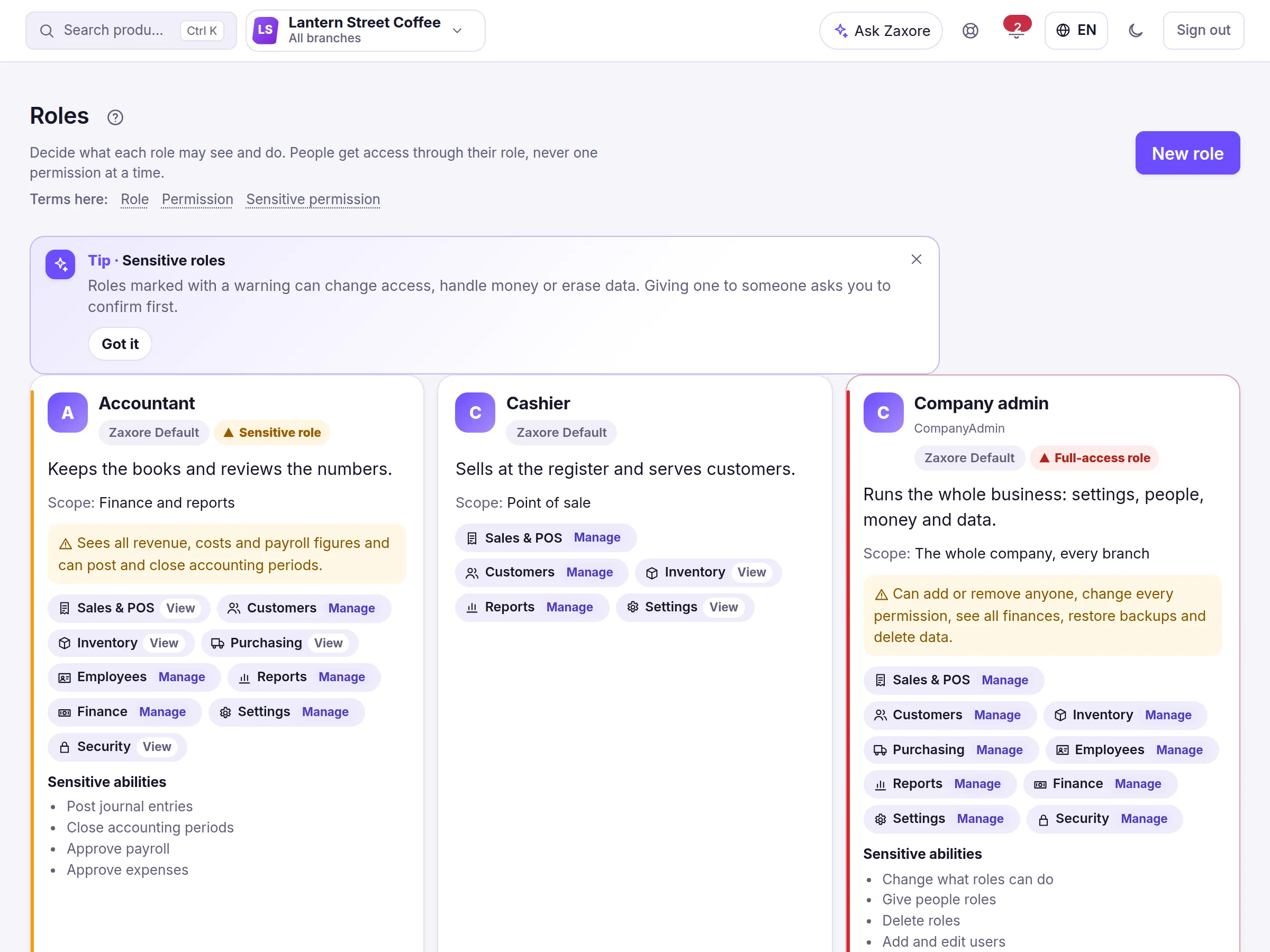
Employee roles and permissions per branch: Each person sees exactly what their job needs.
Start from eight ready roles — admin, manager, cashier, inventory clerk, accountant, purchasing, HR and viewer — or build your own. Staff join with a single-use code or QR that sets their role, branch and register, and each person signs in as themselves. The menus show only what they can do, and cost and profit stay hidden from anyone without that permission.
What you can do
- Eight standard roles plus custom roles from granular permissionsLive
- Single-use invitation codes with QR and expiry; PIN quick login for registersLive
- Branch and register restriction per userLive
- Staff records, weekly schedules and a time clock (Growth or Business plan); payroll runs with one withholding rate you set — no payroll tax filingLive
- Optional two-step verification, and signing out other devices from the Security CenterLive
- An activity log of sign-ins, approvals and changes that the application cannot edit or deleteLive
In the app
Screens captured from the Zaxore app on sample data; names that belong to real businesses are hidden.
Source and capture details
- Source
- The app run locally, synthetic sample data
- App release
- 92c0c3a
- Captured
- 2026-10-16
- Edits
- Navigation sidebar cropped out. Nothing hidden or retouched.
Who uses it
Owners and admins manage roles and invitations; managers can deactivate staff within their branch.
How it connects
Permissions decide what every other module shows — including whether costs and profit appear at all.
From the help center
How do I invite an employee and set their permissions?
From Users, create an invitation with a role, branch and register; share the code, link or QR. The employee accepts it on the Join page and signs in as themselves.
Owner, branch manager, cashier, employee: what does each see?
Each role sees only its tools: the owner sees everything, a branch manager sees their branch, a cashier sells at their register, and other staff see their module.
All features
Companies & branches
One account for all your companies and branches, with each person working in the branch they run.
Headquarters for groups
A holding company on top and each subsidiary with its own figures, in its own currency — one tap to open any of them.
Partner portal
Profit-share partners see their own approved statements and the payments recorded for them — nothing else.
Sales & point of sale
Scan, take cash, card or both, and close the shift with the drawer counted. Exceptions go to a manager.